

App Inbox
App Inbox delivers messages from the Zeta Marketing Platform (ZMP) to a persistent, queryable store inside your app — similar to a notification center. Your app owns the view layer; the SDK provides the data.
Available since: React Native SDK 1.0.0.
App Inbox allows you to build a custom, persistent notification center inside your application. Since the SDK provides only the data layer, you have complete design freedom over list rows, detail screens, and unread badges. This guide will walk you through the process of integrating App Inbox.
For campaign setup and the message lifecycle in ZMP, see User Guide: App Inbox.
On this page
- Understand how App Inbox works
- Access the inbox manager
- Fetch messages from the server
- Query the cached local store
- Understand the ZTAppInboxMessage model
- Update message status
- Handle Call-to-Action (CTA) buttons
- Render the inbox with FlatList
- Clear the inbox on logout
Understand how App Inbox works
Before writing code, it is helpful to understand the core mechanics of App Inbox:
- Message Statuses: Each message has one of three statuses persisted locally:
UNREAD,READ, orDELETED. New messages arrive asUNREAD. You should mark a message asREADwhen the user views it, andDELETEDwhen they dismiss it. - Active Message Limit: The local store keeps at most 200 active (non-deleted, non-expired) messages, while the remote backup contains the most recent 50 messages. When a sync would exceed the local limit, the oldest active messages are automatically evicted.
- Status Persistence: Status updates are maintained locally. If the local database is cleared (such as on opt-out or account switch), the next fetch will repopulate the store from the server, and all messages will return as
UNREAD.
Important:
ZetaClient.inboxis not available untilZetaClient.initialize()completes.
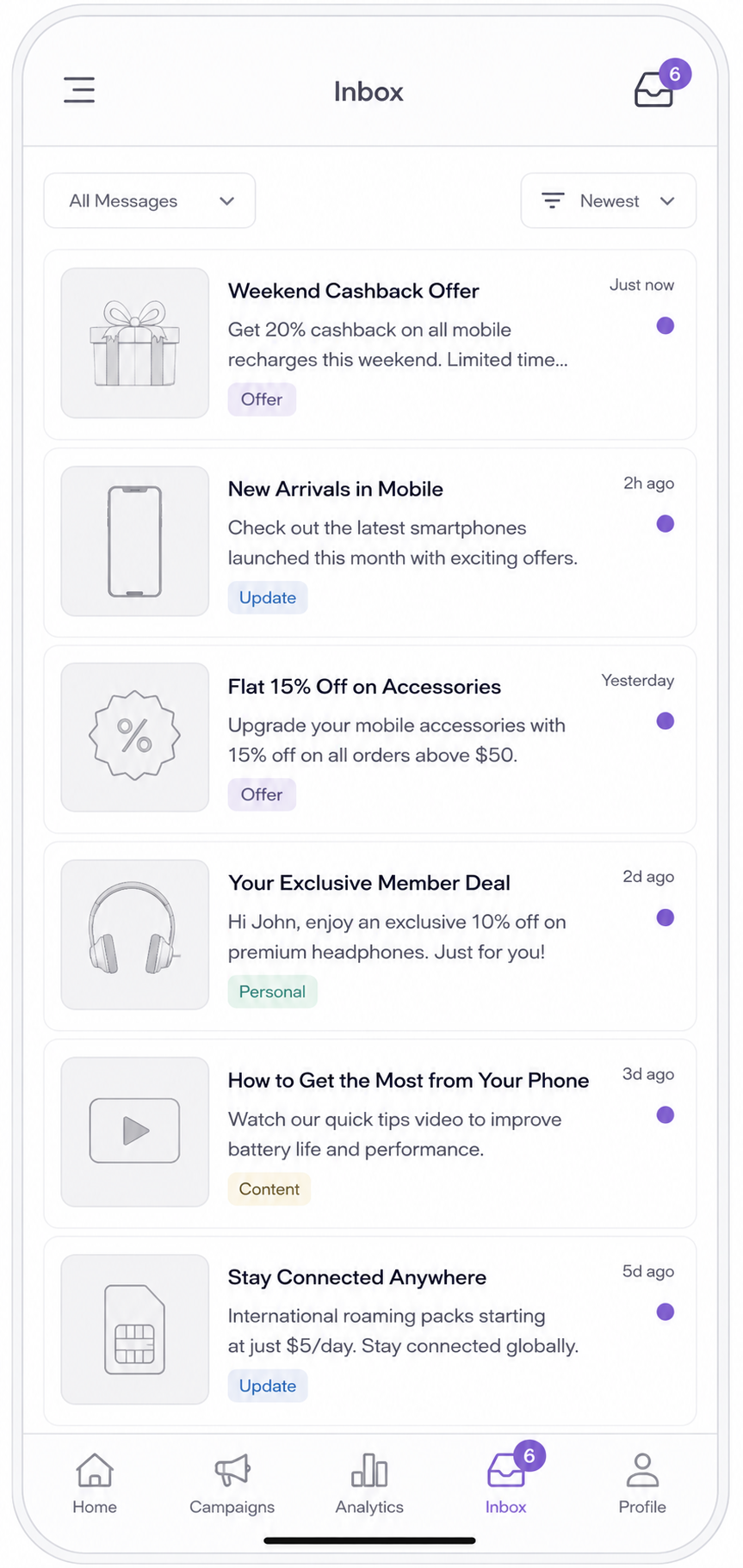
Wireframe inbox app UI mockup
An example of a custom inbox UI you build on top of the SDK's data layer — the SDK supplies the messages and their state; the presentation is entirely yours.
Access the inbox manager
The App Inbox APIs are available through ZetaClient.inbox, which implements the ZTInboxManagable interface:
import ZetaClient from 'zetakit_reactnative';

const inbox = ZetaClient.inbox;
Fetch messages from the server
To sync the latest messages from the server into the local database, call fetchMessages(). This method is Promise-based and returns the full list of non-deleted, non-expired messages:
try {
  const messages = await ZetaClient.inbox.fetchMessages();
  updateUI(messages);
} catch (error) {
  console.error('Failed to fetch inbox messages:', error);
}
Query the cached local store
Once messages are fetched, you can query the cached local database instantly without performing a network round-trip:
// Retrieve unread messages
const unreadMessages = await ZetaClient.inbox.getUnreadMessages();

// Retrieve read messages
const readMessages = await ZetaClient.inbox.getReadMessages();

// Retrieve total message count
const totalCount = await ZetaClient.inbox.getMessageCount();

// Retrieve unread message count (useful for UI badges)
const unreadCount = await ZetaClient.inbox.getUnreadMessageCount();

// Retrieve read message count
const readCount = await ZetaClient.inbox.getReadMessageCount();

// Fetch a single message by ID
const message = await ZetaClient.inbox.getMessage('MSG-001');
Understand the ZTAppInboxMessage model
A ZTAppInboxMessage object represents a single inbox entry and contains the following properties:
| Property | Type | Description |
|---|---|---|
messageId | string | Unique identifier. Use this when calling any inbox update method. |
title | string | Message headline. |
body | string | Message body text. |
mediaUrl | string? | Optional image or media URL associated with the message. |
status | ZTAppInboxMessageStatus | Current UNREAD, READ, or DELETED state (see below). |
expirationTimestamp | number? | Unix timestamp (ms) after which the message should not be shown. |
actionList | ZTAppInboxAction[]? | CTA buttons attached to the message. |
templateId | string | Template identifier used to decide the UI rendering style. |
additionalData | Record<string, string>? | Arbitrary key-value pairs configured in the ZMP campaign. |
The status field is a ZTAppInboxMessageStatus enum with one of three values:
| Value | Meaning |
|---|---|
UNREAD | Default state for a freshly received message; the user has not opened or interacted with it yet. |
READ | The user has viewed the message, or your app has acknowledged it programmatically. |
DELETED | The user (or your app) has dismissed the message. Deleted messages are excluded from all query results but kept in the local store so the row is not re-inserted on the next sync. |
Checking expiration manually
You can filter out expired messages in your UI using the expirationTimestamp:
if (message.expirationTimestamp) {
  const expiresAt = new Date(message.expirationTimestamp);
  if (expiresAt < new Date()) {
    // Message has expired; skip rendering
  }
}
Update message status
Keep the local database in sync with user interactions by updating message statuses.
Mark as read
Mark a message as read when the user taps on it to view details:
const updatedMessage = await ZetaClient.inbox.markMessageAsRead('MSG-001');

// Mark multiple messages as read
const ids = messages.map((m) => m.messageId);
const updatedList = await ZetaClient.inbox.markAllMessagesAsRead(ids);
Mark as deleted
Mark a message as deleted when the user swipes to dismiss it:
const deletedMessage = await ZetaClient.inbox.markMessageAsDeleted('MSG-001');

// Mark multiple messages as deleted
const updatedList = await ZetaClient.inbox.markAllMessagesAsDeleted(ids);
Handle Call-to-Action (CTA) buttons
Messages can include one or more CTA buttons represented by ZTAppInboxAction objects. Each action contains:
| Property | Type | Description |
|---|---|---|
text | string | Button label shown to the user (e.g., "Shop Now"). |
type | string | Action type identifier from the campaign template. |
value | string | Primary action value; pass this as the actionValue parameter to onMessageClicked(). |
link | string | URL associated with the action; may be a deep link or web URL. |
actionType | string? | Hint for how to open link. Common values: webBrowser (in-app browser), externalBrowser (system browser). |
Implementing CTA click tracking and routing
When a user taps a CTA button, call onMessageClicked() to record the click and trigger server-side automation, then route the user:
import { Linking } from 'react-native';

async function handleCTA(action: ZTAppInboxAction, message: ZTAppInboxMessage) {
  const actionValue = action.value || action.link;

  // Track the click event in the SDK
  await ZetaClient.inbox.onMessageClicked(message.messageId, actionValue);

  // Perform custom routing based on the link
  if (action.link) {
    if (action.actionType === 'externalBrowser') {
      Linking.openURL(action.link);
    } else {
      // Open in an in-app browser or navigate to a deep-linked screen
      Linking.openURL(action.link);
    }
  }
}
Render the inbox with FlatList
The snippets above are the building blocks. Here they come together in a React Native inbox screen that fetches on mount, renders rows with a FlatList, marks a message read on tap, deletes on a long press, and routes CTA taps through Linking.openURL:
import React, { useEffect, useState, useCallback } from 'react';
import { FlatList, Text, TouchableOpacity, View, Linking } from 'react-native';
import ZetaClient from 'zetakit_reactnative';
import type { ZTAppInboxMessage } from 'zetakit_reactnative';

export function InboxScreen() {
  const [messages, setMessages] = useState<ZTAppInboxMessage[]>([]);

  const refresh = useCallback(async () => {
    try {
      const list = await ZetaClient.inbox.fetchMessages();
      setMessages(list);
    } catch (error) {
      console.error('Failed to load inbox:', error);
    }
  }, []);

  useEffect(() => {
    refresh();
  }, [refresh]);

  const openMessage = async (message: ZTAppInboxMessage) => {
    await ZetaClient.inbox.markMessageAsRead(message.messageId);
    const cta = message.actionList?.[0];
    if (cta?.link) {
      await ZetaClient.inbox.onMessageClicked(message.messageId, cta.value || cta.link);
      Linking.openURL(cta.link);
    }
    refresh();
  };

  const deleteMessage = async (message: ZTAppInboxMessage) => {
    await ZetaClient.inbox.markMessageAsDeleted(message.messageId);
    refresh();
  };

  return (
    <FlatList
      data={messages}
      keyExtractor={(item) => item.messageId}
      onRefresh={refresh}
      refreshing={false}
      renderItem={({ item }) => (
        <TouchableOpacity
          onPress={() => openMessage(item)}
          onLongPress={() => deleteMessage(item)}
        >
          <View style={{ padding: 16, opacity: item.status === 'READ' ? 0.5 : 1 }}>
            <Text style={{ fontWeight: 'bold' }}>{item.title}</Text>
            <Text numberOfLines={2}>{item.body}</Text>
          </View>
        </TouchableOpacity>
      )}
    />
  );
}
Clear the inbox on logout
To protect user data and ensure a clean state, always clear the local inbox database when a user logs out or switches accounts:
await ZetaClient.inbox.clearAll();Next
Now that you have integrated App Inbox, continue your journey:
- Testing and QA — Verify initialization, test push/in-app payloads, and debug the bridge layer.
- In-App Messaging — Foreground, SDK-rendered messages.
- Push Notifications — Background, OS-delivered notifications.
- User Guide: App Inbox — Campaign setup and message lifecycle from ZMP.
See also
- Platform support -- feature availability by platform and SDK version.
Updated 4 months ago